


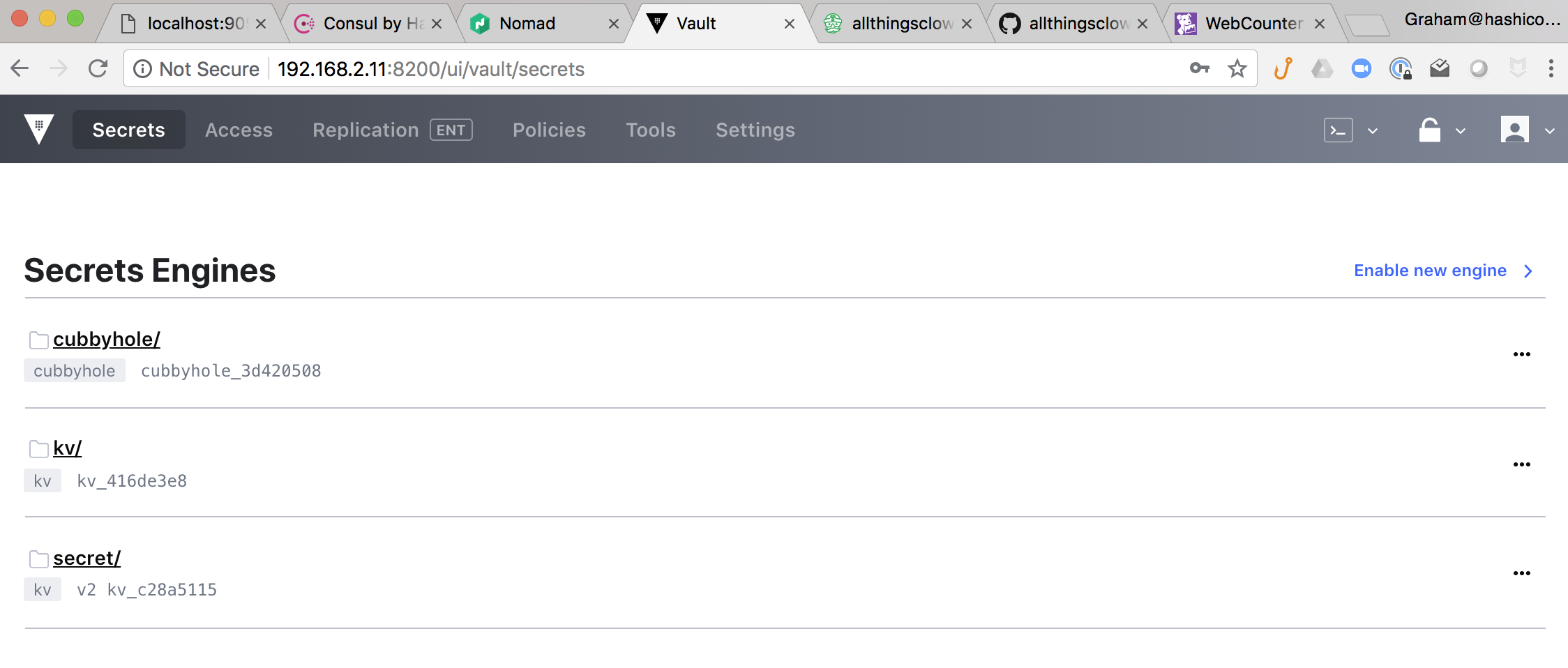
Vault is an incredibly powerful centralised secret management tool. You MUST start using someting like this today, especially when working in hybrid infrastructures such as public and private clouds. Historically we were happy to place a firewall at the perimeter of our networks and assume we were safe inside this nework. Well history has shown us this is a bad operating model. Modern infrastructure deployment architectures use the concept "Trust No One" (TNO). Products like Vault enable these new TNO architectures by providing Centralised Secret Management, Centralised Encryption as a Service & Auditing.
Vault is used here to store the Redis data password that is consumed by both the Redis Service (see above) and the WebCounter application instances on startup.
Accessing Vault UI
Open a browser on your laptop/host and navigate to http://${LEADER_IP}:8200
The value for ${LEADER_IP} can be found in the var.env file but typically will default to 192.168.9.11
e.g. http://192.168.9.11:8200
The password is set to reallystrongpassword
Storing a Password The example below taken from scripts/install_vault.sh illustrates how secrets can be stored in Vault using the vault cli.
bootstrap_secret_data () {

    echo 'Set environmental bootstrapping data in VAULT'
    REDIS_MASTER_PASSWORD=`openssl rand -base64 32`
    APPROLEID=`cat /usr/local/bootstrap/.appRoleID`
    DB_VAULT_TOKEN=`cat /usr/local/bootstrap/.database-token`
    AGENTTOKEN=`cat /usr/local/bootstrap/.agenttoken_acl`
    WRAPPEDPROVISIONERTOKEN=`cat /usr/local/bootstrap/.wrapped-provisioner-token`
    BOOTSTRAPACL=`cat /usr/local/bootstrap/.bootstrap_acl`
    # Put Redis Password in Vault
    sudo VAULT_ADDR="http://${IP}:8200" vault login ${ADMIN_TOKEN}
    # FAILS???? sudo VAULT_TOKEN=${ADMIN_TOKEN} VAULT_ADDR="http://${IP}:8200" vault policy list
    sudo VAULT_TOKEN=${ADMIN_TOKEN} VAULT_ADDR="http://${IP}:8200" vault kv put kv/development/redispassword value=${REDIS_MASTER_PASSWORD}
    sudo VAULT_TOKEN=${ADMIN_TOKEN} VAULT_ADDR="http://${IP}:8200" vault kv put kv/development/consulagentacl value=${AGENTTOKEN}
    sudo VAULT_TOKEN=${ADMIN_TOKEN} VAULT_ADDR="http://${IP}:8200" vault kv put kv/development/vaultdbtoken value=${DB_VAULT_TOKEN}
    sudo VAULT_TOKEN=${ADMIN_TOKEN} VAULT_ADDR="http://${IP}:8200" vault kv put kv/development/approleid value=${APPROLEID}
    sudo VAULT_TOKEN=${ADMIN_TOKEN} VAULT_ADDR="http://${IP}:8200" vault kv put kv/development/wrappedprovisionertoken value=${WRAPPEDPROVISIONERTOKEN}
    sudo VAULT_TOKEN=${ADMIN_TOKEN} VAULT_ADDR="http://${IP}:8200" vault kv put kv/development/bootstraptoken value=${BOOTSTRAPACL}

}
Retrieving a Password using Consul-Template The install_redis.sh script uses consul-template to demonstrate how a traditional application configuration file can be populated with secrets from Vault dynamically at deployment time.
A template configuration file needs to be created like master.redis.ctpl
.
.
.
# Ensure Redis only listens on the local host when configuring Consul connect
bind 127.0.0.1

# Consul-Template is used in the redis file at deployment time
# It reads the password from Vault and inserts it into this file
{{- with secret "kv/development/redispassword" }}
requirepass "{{ .Data.value }}"
{{- end}}
which results in
.
.
.
# Ensure Redis only listens on the local host when configuring Consul connect
bind 127.0.0.1

# Consul-Template is used in the redis file at deployment time
# It reads the password from Vault and inserts it into this file
requirepass "8G3BkAe8mXd2XsXlTQNIGCzBl3DXzmTURtWScJRcp8g="
when consul-template is executed as follows
sudo VAULT_TOKEN=${DB_VAULT_TOKEN} VAULT_ADDR="http://${LEADER_IP}:8200" consul-template -template "/usr/local/bootstrap/conf/master.redis.ctpl:/etc/redis/redis.conf" -onceRetrieving a Password using Vault's Golang SDK
First of all we need to import the library vault "github.com/hashicorp/vault/api"
func getVaultKV(consulClient consul.Client, vaultKey string) string {

	// Read in the Vault service details from consul
	vaultService := getConsulSVC(consulClient, "vault")
	vaultAddress = "http://" + vaultService
	fmt.Printf("Secret Store Address : >> %v \n", vaultAddress)

	// Get a handle to the Vault Secret KV API
	vaultClient, err := vault.NewClient(&vault.Config{
		Address: vaultAddress,
	})
	if err != nil {
		fmt.Printf("Failed to get VAULT client >> %v \n", err)
		return "FAIL"
	}

	approleService := getConsulSVC(consulClient, "approle")
	// Replace service ip address with loopback address when using connect proxy
	approleService = convert4connect(approleService)
	appRoletoken := getVaultToken(approleService, *appRoleID)
	fmt.Printf("New Application Token : >> %v \n", appRoletoken)

	vaultClient.SetToken(appRoletoken)

	completeKeyPath := "kv/development/" + vaultKey
	fmt.Printf("Secret Key Path : >> %v \n", completeKeyPath)

	// Read the Redis Credientials from VAULT
	vaultSecret, err := vaultClient.Logical().Read(completeKeyPath)
	if err != nil {
		fmt.Printf("Failed to read VAULT key value %v - Please ensure the secret value exists in VAULT : e.g. vault kv get %v >> %v \n", vaultKey, completeKeyPath, err)
		return "FAIL"
	}
	fmt.Printf("Secret Returned : >> %v \n", vaultSecret.Data["value"])
	result := vaultSecret.Data["value"]
	fmt.Printf("Secret Result Returned : >> %v \n", result.(string))
	return result.(string)
}
This service will be used as the broker between vault and applications to bootstrap the secret-id delivery process.
The service defaults to port 8314.
It has the following 3 API endpoints -
- /initialiseme - this endpoint requires a POST with the following json package { "token" : "wrapped token" } This should be a wrapped vault authentication token that has permission to create SECRET_IDs
curl --header 'Content-Type: application/json' --request POST --data '{"token":"b76e6d87-1719-2fe5-42a1-b2a528bfd817"}' http://localhost:8314/initialisemeOnce a valid token is received the health status of the application is changed from UNINITIALISED to INITIALISED
- /approlename - this endpoint requires a POST with the following json package { "RoleName" : "id-factory" }
curl --header 'Content-Type: application/json' --request POST --data '{"RoleName":"id-factory"}' http://localhost:8314/approlenameThis endpoint only becomes operational once the application has been initialised through the endpoint outlined in 1 above. When a valid AppRole name is provided a matching WRAPPED Vault SECRET_ID Token is returned.
- /health - displays the current application state
curl http://localhost:8314/healthUNINITIALISED - no valid ##WRAPPED## vault token received
INITIALISED - valid ##WRAPPED## vault token recieved
TOKENDELIVERED - a wrapped secret-id has been returned to an api request
WRAPSECRETIDFAIL - failed to generate a wrapped secret-idA special token with limited scope, a provisioner token, is generated by a vault administrator and shared with the owner of the provisioner bootstrapping service. This token is used to initialise the Secret-ID Factory Service.

How does the application get it's Vault token?
