SSC Installation #6
santiguese
started this conversation in
General

Replies: 0 comments
Sign up for free
to join this conversation on GitHub.
Already have an account?
Sign in to comment

Uh oh!
There was an error while loading. Please reload this page.
-
Installation Guide
Pre-Installation Instructions
In order to use SimpleSportsCaster you will need the following hardware:
Review the “System Requirements” tab within the Microsoft Store’s SimpleSportsCaster page (here) to ensure that your hardware and operating system meet the minimum requirements for this application.
For recommendation on support tablets and computers visit the SimpleSportsCaster website (here)
Ensure that you have a supported video capture device. More information can be found here
Installation
Install SimpleSportsCaster via the Microsoft Store (here) by clicking the blue Install button.
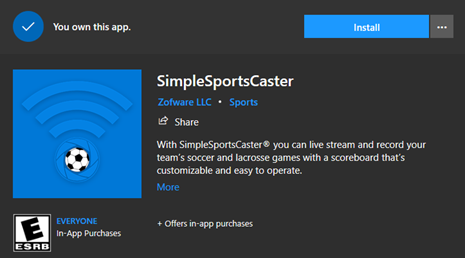
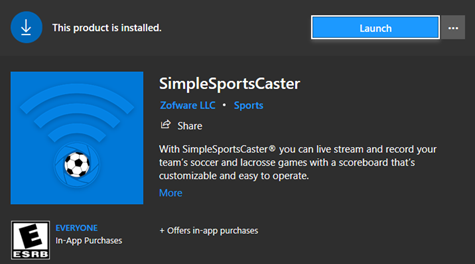
After the installation completed click the blue Launch button.
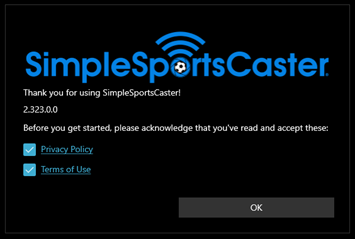
You will need to agree to the Privacy Policy and Terms of Use by checking these two boxes and then clicking OK.
Allow access to Microphone and Camera
Purchasing a Subscription
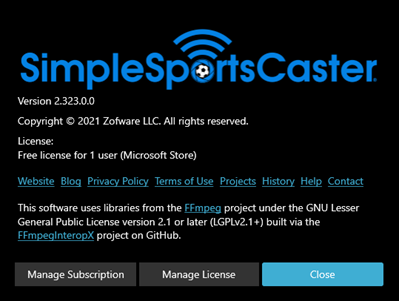
Click the About option along the bottom bar of the application. If you do not see the About button click the three dots on the lower right-hand side of the screen to make these options visible.
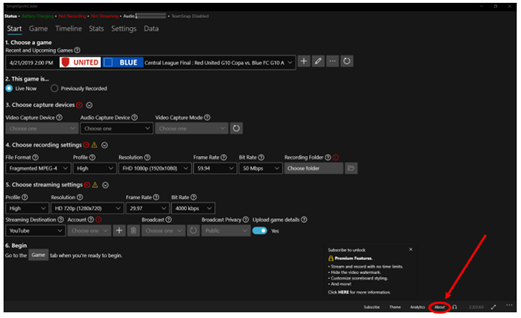
Click Manage Subscription
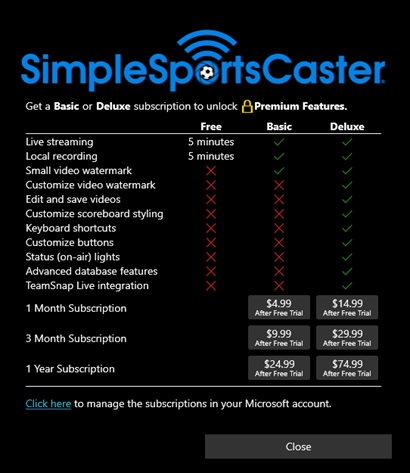
Purchase the Subscription that best fits your needs.
Beta Was this translation helpful? Give feedback.
All reactions