A test to get Google Analytics Reporting API v4 up and running http://webapps2/HelloWorld/HelloWorld.php

- 10/09/2018 initial files started
- Reference: https://developers.google.com/analytics/devguides/reporting/core/v4/quickstart/service-php
We have a PHP service account with Google Analytics which can be viewed here:
https://console.developers.google.com/iam-admin/serviceaccounts?project=rgrd-website-analytics
The service key provided was downloaded and renamed to: ‘service-account-credentials.json’. It resides in the same folder as ‘HelloAnalytics.php’. The file location can be modified later.
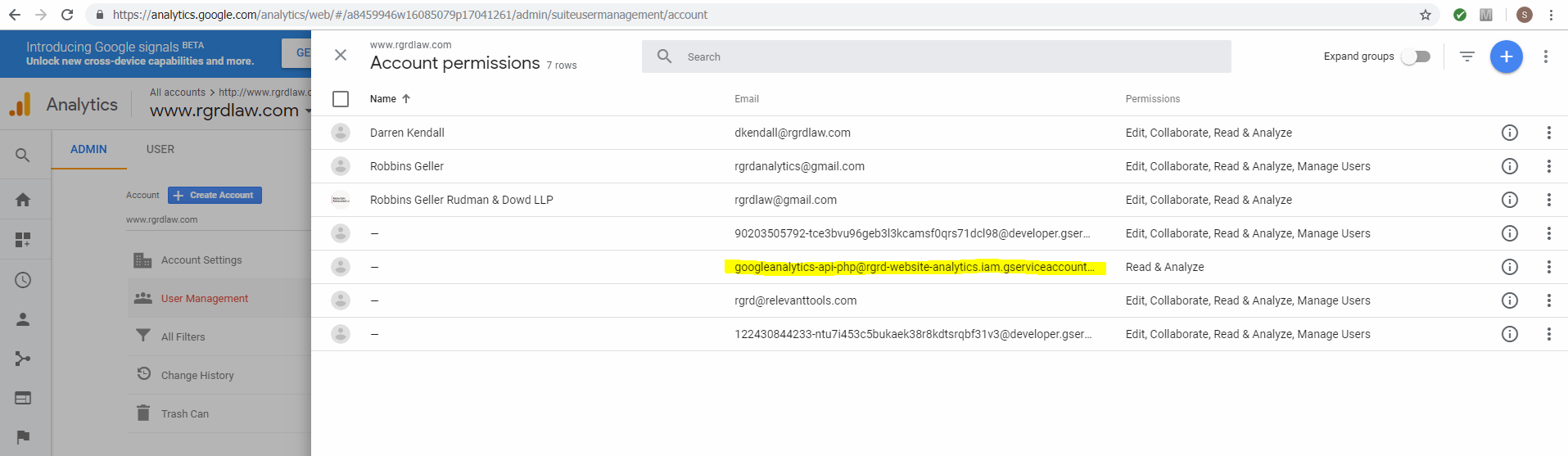
The service account has been linked to our google analytics account here:
https://analytics.google.com/analytics/web/#/a8459946w16085079p17041261/admin/suiteusermanagement/account

I installed Composer on the WebApps2 server. You can find Composer here: https://getcomposer.org/
https://github.com/googleapis/google-api-php-client
From GitBash I installed the Google’s client library with this command: composer require google/apiclient:^2.0
Inside HelloAnalytics.php I linked our Google Account’s view ID.
Here is where to see our account View IDs: https://ga-dev-tools.appspot.com/account-explorer/
I did encounter a cURL error 60: SSL certificate problem which I assume Jonathan will be able to resolve for us once we are up and running in our new servers. I solved through a hack of vendor\guzzlehttp\guzzle\src\Handler\CurlFactory.php. I changed this:
- 326: $conf[CURLOPT_SSL_VERIFYHOST] = 2;
- 327: $conf[CURLOPT_SSL_VERIFYPEER] = true;
To this:
- 326: $conf[CURLOPT_SSL_VERIFYHOST] = 0;
- 327: $conf[CURLOPT_SSL_VERIFYPEER] = FALSE;