
|
An Agent Skill for creating Spring Boot applications following Julien Dubois' best practices. Generate Spring Boot 4.x projects with Java 25, PostgreSQL, Docker support, and your choice of front-end framework (Vue.js, React, Angular, or Vanilla JS). Dr JSkill is an agent skill: it is meant to work with tools like GitHub Copliot CLI or Claude Code. |

|
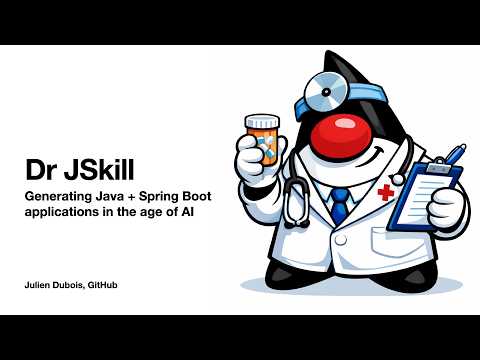
- Automated project generation from https://start.spring.io with the latest available Spring Boot version
- Docker-ready applications with standard and native image builds
- Multiple front-end options: Vue.js (default), React, Angular, or Vanilla JS
- Production-ready configurations with PostgreSQL, REST APIs, and monitoring
JHipster is an awesome Spring Boot application generator, also created by Julien Dubois.
Dr JSkill builds on the JHipster experience:
- It generates applications that should be similar to what JHipster creates
- It is closer to Julien Dubois' tastes, as JHipster is ultimately the work of hundreds of people
- Dr JSkill is an AI agent: it is not deterministic, it is slower and can cost some money to execute. But it is easier to tune, more versatile, and can update projects easily.
At the moment, Dr JSkill is an experiment. If it is successful, it might join the JHipster organization.
A full hands-on workshop — GitHub Copilot CLI + Java, using Dr JSkill — walks you through generating, extending, testing, and deploying a real Spring Boot + Vue application: workshop/README.md.
For complete documentation, usage instructions, and best practices, see SKILL.md.
Additional references:
- Project Setup & Dotfiles
- Front-end Development Guides (Vue.js, React, Angular, Vanilla JS)
- Database Best Practices
- Docker Deployment
- Testing Guide
- Azure Deployment
- Versions manifest:
versions.json(read byscripts/lib/versions.mjs). Update this file first when bumping any tool/library version.
This is an Agent Skill that can be used with AI coding assistants that support the Agent Skills specification.
In order to use this skill, and modify it to your needs, you can fork this repository on GitHub, or simply clone it to your local machine.
Using the GitHub website:
- Navigate to the repository on GitHub
- Click the "Fork" button in the top-right corner
- Select your account as the destination
- Clone your fork:
git clone https://github.com/YOUR_USERNAME/dr-jskill.git
Using the GitHub CLI:
- Install the GitHub CLI if you haven't already
- Fork and clone in one command:
This will fork the repository to your GitHub account and clone it to your local machine.
gh repo fork jdubois/dr-jskill --clone
If you only want to use the skill locally without maintaining your own fork:
git clone https://github.com/jdubois/dr-jskill.gitConfigure skills for GitHub Copilot CLI by placing them in the skills directory:
-
Create the skills directory if it doesn't exist:
mkdir -p ~/.github-copilot/skills -
Clone or copy this skill to the skills directory:
git clone <repository-url> ~/.github-copilot/skills/dr-jskill
# Or copy: cp -r /path/to/dr-jskill ~/.github-copilot/skills/
-
Use GitHub Copilot CLI as usual - the skill will be automatically loaded:
gh copilot suggest "create an application using the dr-jskill"
The skill will be available for all gh copilot commands.
- Open VS Code Settings (
Cmd+,on macOS orCtrl+,on Windows/Linux) - Search for
github.copilot.chat.codeGeneration.instructions - Click "Edit in settings.json"
- Add a skill entry:
{ "github.copilot.chat.codeGeneration.instructions": [ { "file": "/absolute/path/to/dr-jskill/SKILL.md" } ] } - Restart VS Code for changes to take effect
Alternatively, you can enable skills globally by placing them in a specific directory:
- macOS/Linux:
~/.github-copilot/skills/ - Windows:
%USERPROFILE%\.github-copilot\skills\
Skills are automatically discovered from configured skill directories.
-
Clone or copy this skill to a directory on your system:
git clone <repository-url> ~/skills/dr-jskill
-
Configure the skills directory in VS Code Settings:
- Open Settings (
Cmd+,orCtrl+,) - Search for "skills" or look for your assistant's skill configuration
- Add the path to your skills directory:
~/skills/
- Open Settings (
-
Restart VS Code
Claude Code will automatically discover all skills in the configured directory and load them when relevant to your task.
This skill follows the Agent Skills specification and works with any compatible AI assistant. Refer to your assistant's documentation for configuration instructions.
- Node.js 24.x and npm 11.x
- Java 25
- Docker (for containerized deployments)
This project is licensed under the Apache License 2.0.
See LICENSE file for details.