
A professional platform providing high-quality PowerPoint templates for impactful presentations
Mer is a specialized website that provides high-quality PowerPoint templates suitable for various purposes such as introductions, presentation endings, or creating special effects. With a diverse collection of templates and smart interactive features, Mer helps users quickly find and download the perfect templates for their presentations.
Watch our introduction video to see Mer in action:
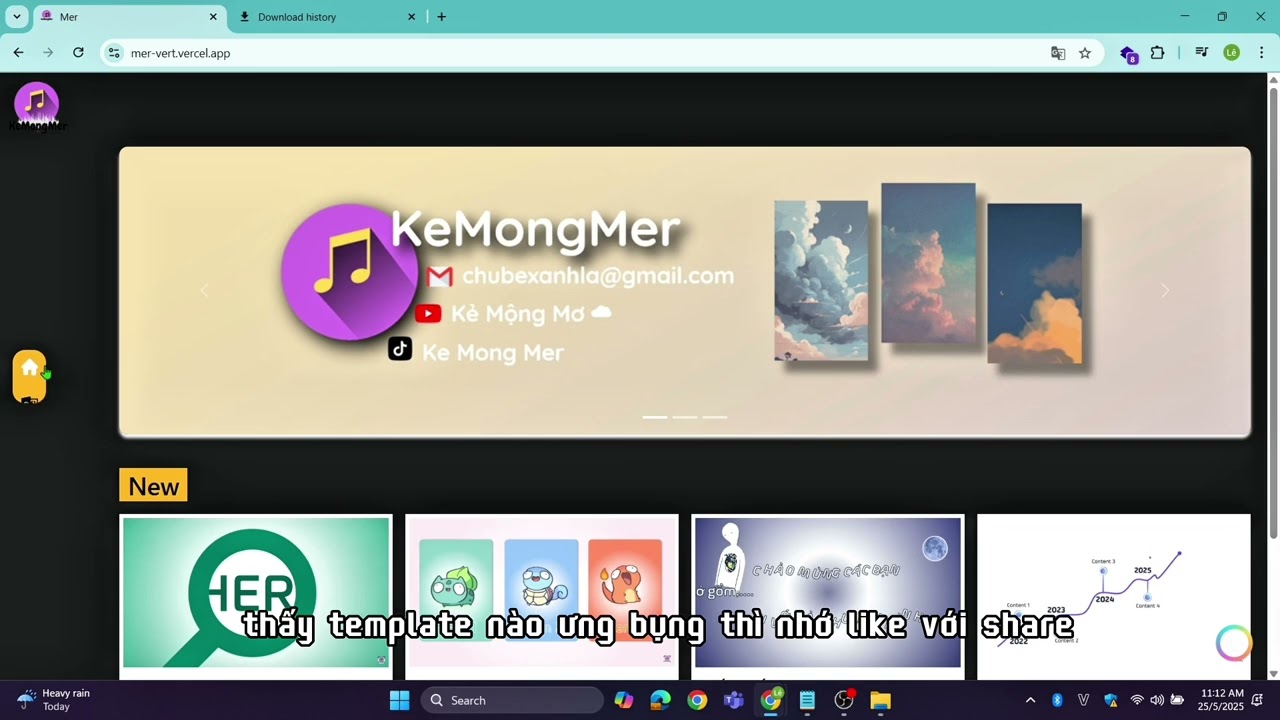
Click the image above to watch the full demo on YouTube
- 🌓 Dark/Light Mode: Comfortable viewing experience for both day and night users
- 🔍 Smart Search Bar: Intelligent search combined with category filters
- 📁 Template Categories: Intro, Outro, Music, and Effect templates
- 🔒 Engagement-Based Downloads: Templates unlock when YouTube videos reach 20+ likes
- 🤖 AI Chatbot (MB): Virtual assistant for website support and guidance
- 📱 Responsive Design: Seamless experience across all devices
- 💾 Ready-to-Use: Downloaded files work immediately without complex setup
Perfect for team introductions or presentation openings
- Professional design patterns
- Eye-catching animations
- Customizable layouts
Create impressive presentation endings
- Memorable closing designs
- Call-to-action layouts
- Thank you slides
Dynamic templates synchronized with music
- Audio-visual harmony
- Rhythm-based animations
- Entertainment-focused designs
Special effects to make slides more attractive
- Advanced animations
- Transition effects
- Visual impact elements
| Technology | Description |
|---|---|
 |
JavaScript library for building user interface |
 |
Core programming language |
 |
Styling and responsive design |
 |
Markup language |
| Technology | Description |
|---|---|
 |
Cloud deployment platform |
📁 Mer_WEB
│
├── 📁 node_modules/                # Installed packages directory
├── 📁 public/                      # Public static files
├── 📁 src/                         # Main source code
│   ├── 📁 api/                    # API integration and services
│   ├── 📁 components/             # Reusable UI components
│   ├── 📁 layouts/                # Page layout components
│   ├── 📁 pages/                  # Application pages
│   ├── 📁 style/                  # Styling files
│   ├── 📄 App.js                  # Main application component
│   ├── 📄 App.test.js             # Application tests
│   ├── 📄 index.css               # Root styling
│   ├── 📄 index.js                # Application entry point
│   ├── 📄 reportWebVitals.js      # Performance monitoring
│   └── 📄 setupTests.js           # Test configuration
|
├── 📄 .gitignore                  # Git ignore rules
├── 📄 LICENSE                     # Project license
├── 📄 package.json                # Project dependencies and scripts
├── 📄 package-lock.json           # Locked dependency versions
└── 📄 README.md                   # Project documentation
- Node.js (v16 or higher)
- npm or yarn package manager
- Modern web browser
- Clone the repository:
git clone https://github.com/yourusername/mer-website.git
cd mer-website- Install dependencies:
npm install- Create environment file:
cp .env- Configure environment variables:
# API Configuration
REACT_APP_API_BASE_URL=''
REACT_APP_YOUTUBE_API_KEY=''

# Application Settings
REACT_APP_NAME=Mer
REACT_APP_VERSION=1.0.0
REACT_APP_ENVIRONMENT=development- Start development server:
npm startThe application will run on http://localhost:3000
- 🌐 Website: https://mer-tau.vercel.app/
- 🎥 Introduction Video: YouTube
- 🎨 UI/UX Design:Figma
- 📺 YouTube Channel: Kẻ Mộng Mơ ☁
- 📱 TikTok: Ke Mong Mer
We welcome contributions to make Mer even better!
- Fork the repository
- Create a feature branch (
git checkout -b feature/AmazingFeature) - Commit your changes (
git commit -m 'Add some AmazingFeature') - Push to the branch (
git push origin feature/AmazingFeature) - Open a Pull Request

Based on Google Lighthouse audit:
- Performance Score: 99/100
- Accessibility Score: 96/100
- Best Practices Score: 93/100
- SEO Score: 100/100
Key Performance Indicators:
- First Contentful Paint: 0.6s
- Largest Contentful Paint: 0.8s
- Total Blocking Time: 0ms
- Cumulative Layout Shift: 0.043
- Speed Index: 0.7s
| Browser | Version |
|---|---|
| Chrome | 70+ |
| Firefox | 65+ |
| Safari | 12+ |
| Edge | 79+ |
| Opera | 57+ |
- 📧 Email: aohkne@gmail.com
- 💬 Facebook: Băng Băng
- 🤖 MB Chatbot: Available on website
- 📺 YouTube: Kẻ Mộng Mơ ☁
- 📱 TikTok: Ke Mong Mer
This project is licensed under the MIT License - see the LICENSE file for details.
- Thanks to all users who engage with our content
- Special appreciation for the PowerPoint community
- Gratitude to contributors and supporters
If you find Mer useful, please consider giving it a star ⭐ on GitHub to help others discover it.


