
- An unvisited link is underlined and blue
- A visited link is underlined and purple
- An active link is underlined and red
| Element | uses |
|---|---|
| < a > | define a link |
| href | define the link address |
| target | define where to open the linked document |
| < img > element (inside < a >) | to use an image as a link |
| mailto: scheme inside the href attribute | create a link that opens the user's email program |
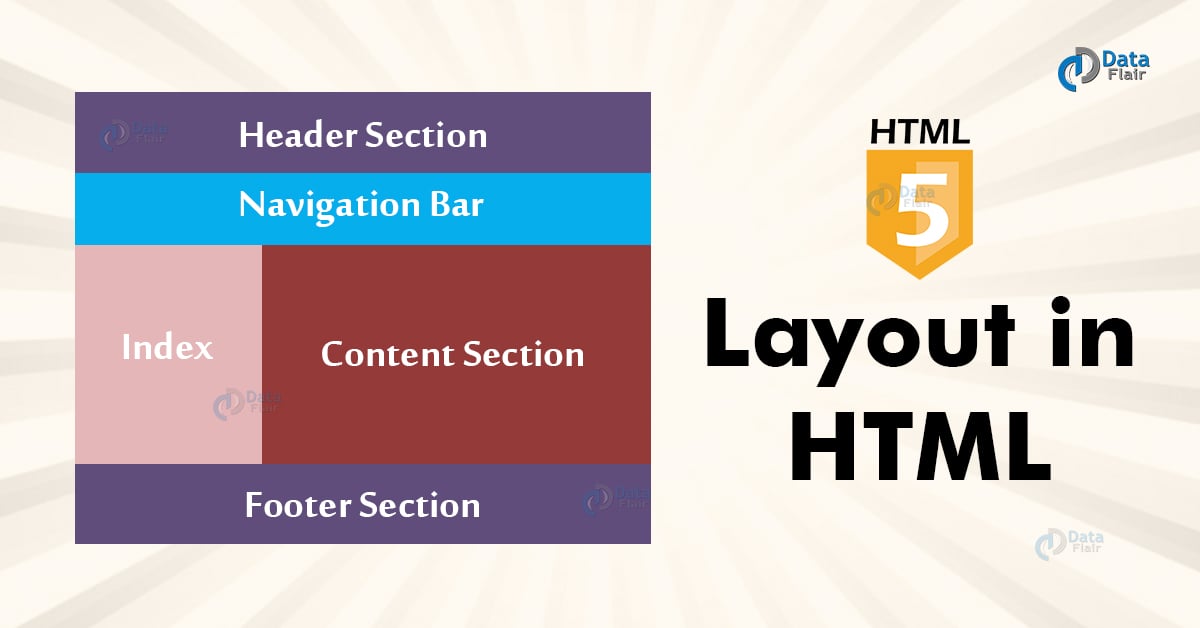
- < header > - Defines a header for a document or a section
- < nav > - Defines a set of navigation links
- < section > - Defines a section in a document
- < article > - Defines an independent, self-contained content
- < aside > - Defines content aside from the content (like a sidebar)
- < footer > - Defines a footer for a document or a section
- < details > - Defines additional details that the user can open and close on demand
- < summary > - Defines a heading for the < details > element
There are four different techniques to create multicolumn layouts. Each technique has its pros and cons:
- CSS framework
- CSS float property
- CSS flexbox
- CSS grid

A JavaScript function is defined with the function keyword, followed by a name, followed by parentheses ().
Function names can contain letters, digits, underscores, and dollar signs (same rules as variables).
(parameter1, parameter2, ...)
- Greater efficiency
- Engaged collaboration
- Learning from fellow students
- Social skills
- Job interview readiness
- Work environment readiness